

Authentication
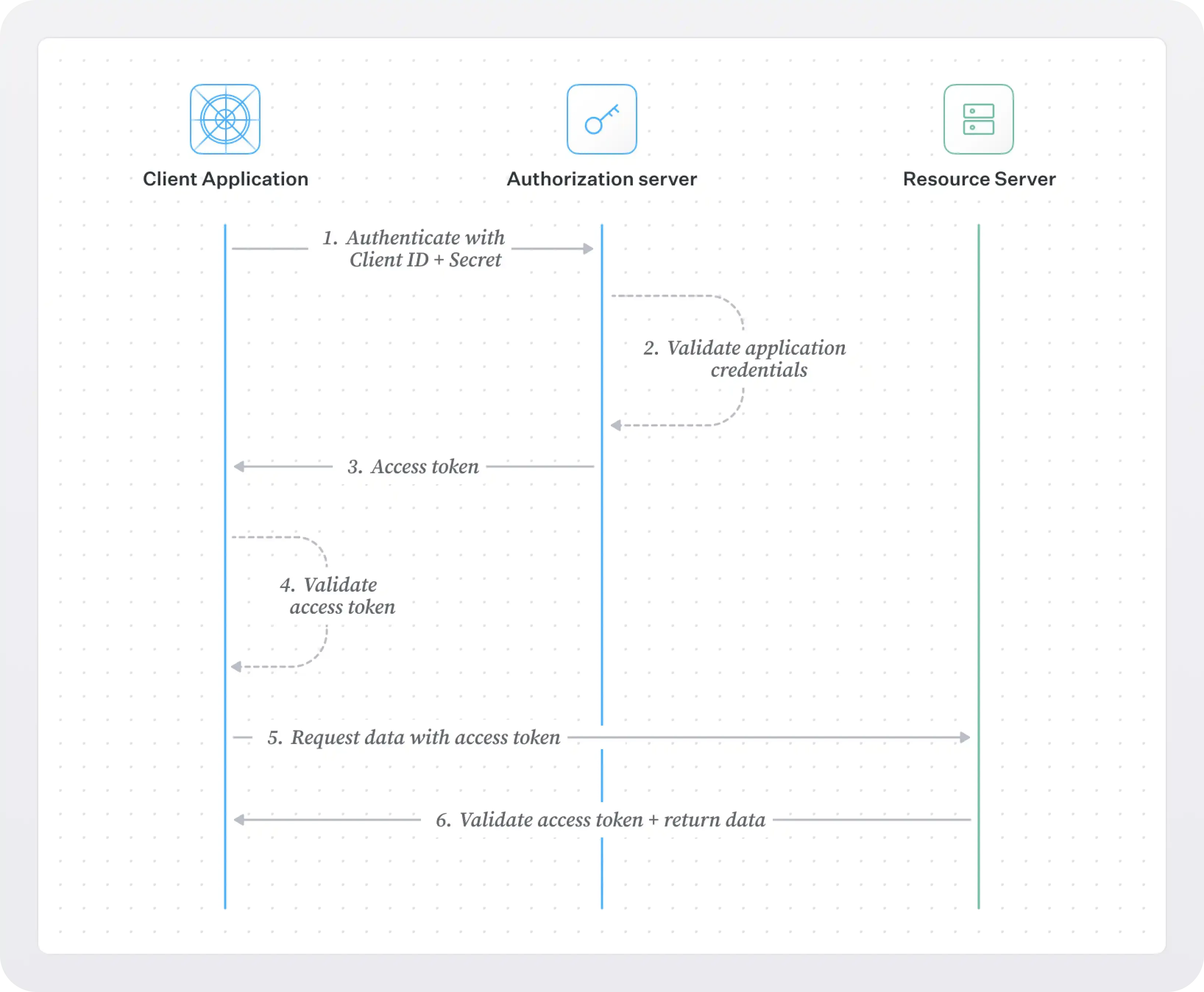
The Luminary API uses the Client Credentials flow defined by OAuth 2.0 framework to authenticate requests. To access the API, please contact Luminary support for your credentials. You will be securely issued a Client ID and Client Secret tied to you Luminary organization.
As the name implies, the Client Secret is confidential information and should be stored safely. Do not share your secret API keys in publicly accessible areas such as GitHub, client-side code, and so forth.
All API requests must be made over HTTPS. Calls made over plain HTTP will fail. API requests without authentication will also fail.
This is an overview of the authentication process. For more details, please refer to the OAuth 2.0 documentation.
Getting an access token
Section titled “Getting an access token”To get an access token, you must make a request to the Luminary authorization server. The request will be a POST request with the following parameters:
curl -X POST "https://auth.withluminary.com/oauth2/token"-H "Content-Type: application/x-www-form-urlencoded"-d "grant_type=client_credentials&client_id=$CLIENT_ID&client_secret=$CLIENT_SECRET"The response will be a JSON object with the following fields:
{ "access_token": "$ACCESS_TOKEN", "token_type": "bearer", "expires_in": 3600}Using an access token
Section titled “Using an access token”Once you have an access token, you can use it to authenticate requests to the Luminary API. You need to include the access token in the Authorization header of your requests.
curl -X GET "https://your-subdomain.luminary.com/v1/households" -H "Authorization: Bearer $ACCESS_TOKEN"If the request is successful, you have successfully authenticated and can now access the Luminary API. When your token expires, you need will need to request a new access token using the same process described above.
If you are using one of Luminary’s SDKs, you can authenticate your requests by passing your Client ID and Client Secret to client. This can be done in the following ways:
- Pass your Client ID and Client Secret to the client constructor
- Set the your credentials as the CLIENT_ID and CLIENT_SECRET environment variables
To review the SDK documentation for your language, please refer to the following links: